Collect Another Sample


Collect Another Sample |
|
|
How To... > Create Simulations > Sampling Simulations > Collect Another Sample
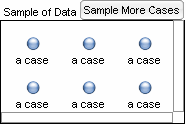
There are several ways to collect another sample. •Resize the sample collection so that you can see its cases. You will also see a button in the top right corner labeled Sample More Cases. Click this button to collect a new sample. •With the sample collection selected, press Ctrl+Y (Win) z+Y (Mac), which is the shortcut for collecting another sample. •Select the sample collection, and choose Collection | Sample More Cases. •Open the sample collection’s inspector, go to the Sample panel, and click the Sample More Cases button. See also |